
Engineering documents
CAD File Translation Services
We translate the text inside your CAD files, DWG, DXF, SolidWorks, Inventor, and Revit, while the geometry, layers, blocks, and external references stay exactly as your engineers left them. Automated extraction and reinjection means no retyping, no broken sheets, and no PDF workarounds.
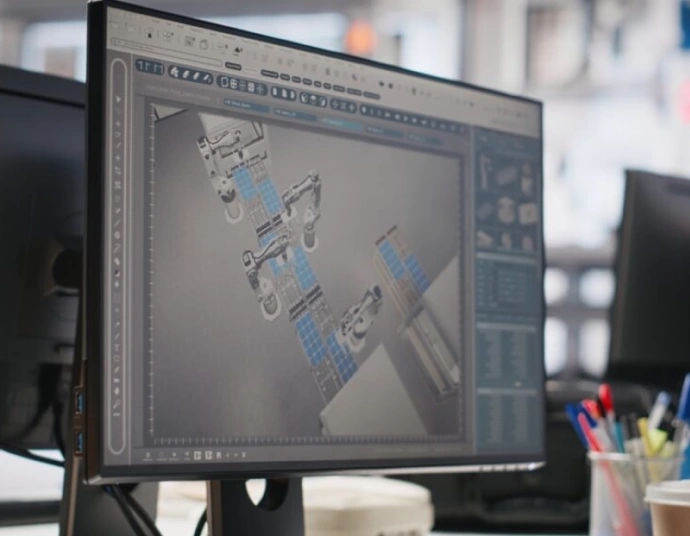
Text is extracted from layers, blocks, attributes, and xrefs by script, translated in a controlled environment, and reinjected in place. Geometry is never touched.
Chinese, Japanese, and Korean text that actually renders in AutoCAD, with big fonts and TrueType substitutions configured so no character displays as a question mark.
Every sheet is opened and inspected after the translated text goes back in, so expanded strings that overflow a fixed-width title block get fixed before you see them.
Why Copy-Pasting From a PDF Destroys a Drawing Set
Most CAD file translation requests reach us after a failed attempt. Someone printed the drawings to PDF, sent the PDFs to a generalist agency, and got back a Word file of translated strings that a drafter then spent two weeks pasting into AutoCAD by hand. Along the way, a hole note ended up next to the wrong hole, two layers were flattened into one, and every dimension had to be visually re-verified because nobody could prove the geometry hadn't shifted.
The PDF route fails because a PDF is a picture of a drawing, not the drawing. It discards the structure that makes a DWG file usable: the separation of text into layers, the grouping of repeated elements into blocks, the attributes that populate title blocks automatically, and the external references that let fifty sheets share one border file. Translate the picture and you must rebuild the structure by hand. Translate the structure and the picture takes care of itself.
We built our process around that second idea. For 15 years we have translated drawing text inside the native file, first for a Houston engineering contractor with 2,300 legacy sheets, now for machine builders, plant owners, and architecture firms across the country. If your files exist only as scans or PDFs, we can still help, but the native route is faster, cheaper per sheet, and verifiable. Our companion page on engineering drawing translation covers the linguistic side of drawings; this page covers the file engineering.
Inside the Native DWG Pipeline
The pipeline has four stages, and each exists because of a specific failure mode we have seen in the wild.
- Audit. We open the set, inventory text entities (TEXT, MTEXT, attributes, dimension overrides, tables), resolve xrefs, and identify text buried inside blocks. This is where we catch the classic trap: a title block defined as a block with attributes on a locked layer, invisible to naive extraction.
- Extraction. A script pulls every string with its handle, layer, style, and coordinates into a bilingual working file. Duplicate strings, and drawing sets are full of them, are deduplicated so "SEE NOTE 3" is translated once and applied five hundred times, identically.
- Translation and review. Translators work in a CAT environment with the sheet image beside each string, so "DRAIN" on a piping plan is not confused with "DRAIN" in an electrical legend. A second linguist reviews independently under our ISO 17100-compliant process.
- Reinjection and layout check. The script writes each translated string back to its original entity. Then a technician opens every sheet, compares it against the source at the same zoom, and adjusts text height or wrapping where expansion demands it.
Because strings return to their original handles, nothing moves that we did not move deliberately. Your drafters can run a drawing compare and see exactly one category of change: text content.
Text Expansion vs. the Fixed-Width Title Block
Title blocks are designed to the millimeter, and translation does not respect that. English to German typically grows text by a quarter or more; English to Spanish by 15–25%; Chinese to English can double the character footprint of a short label. A cartouche cell drawn for "APPROVED BY" has no room for "FREIGEGEBEN DURCH" at the same text height.
We resolve expansion with a preference ladder agreed at project start: first an approved shorter synonym or standard abbreviation, then a reduced width factor, then a reduced text height within legibility limits, and only as a last resort a layout change proposed to your drafting lead. The layout check at the end of the pipeline verifies each fix on screen. On installation and field drawings, where a technician may read a plotted half-size sheet in bad light, we hold a minimum plotted text height and will flag any cell where the ladder runs out rather than shrink text into illegibility. That discipline came from experience with translating installation guides and their attached schematics, where an unreadable label is functionally a missing label.
A 500-sheet set contains fewer unique strings than you think. On a recent 512-drawing package for a plant relocation, extraction found 61,000 text entities but only 7,400 unique strings after deduplication. The client's previous vendor had quoted the job by total entity count. Deduplication cut the translatable volume, and the invoice, by almost 90%.
SHX, TrueType, and the Chinese Character Problem
AutoCAD's native SHX fonts predate Unicode, and most of them simply do not contain CJK glyphs. Send a DWG translated into Chinese back to a client whose workstation lacks the right big font, and every hanzi renders as a question mark or an empty box. The drawing is technically translated and practically useless.
Our deliveries handle this three ways. Where the client's environment supports it, we map CJK text to an appropriate big font pairing (an SHX shape font plus its big font companion) and ship the font files with usage rights cleared. Where the set will circulate beyond the client's control, we switch CJK strings to a TrueType font such as SimSun or MS Gothic that travels inside the operating system rather than the CAD install. And for archival sets, we deliver a plotted PDF alongside the DWG so there is always a rendering-independent reference. Teams translating drawings for Chinese suppliers or joint ventures usually combine this service with our Simplified Chinese technical translation team, which handles the terminology while the CAD group handles the encoding.
The same logic applies in reverse. Chinese-origin DWGs often arrive with GB-encoded text that displays fine in Chinese AutoCAD and garbles in a US install. We re-encode before extraction, which is the step most vendors skip and the reason their bilingual deliveries arrive half-scrambled.
Beyond AutoCAD: SolidWorks, Inventor, and Revit
Two-dimensional DWG work is the volume business, but modern engineering text lives in more places. Here is what we handle and how:
| Format | Where the text lives | Our approach |
|---|---|---|
| DWG / DXF | TEXT, MTEXT, attributes, tables, dimension overrides | Scripted extraction and reinjection, layout check per sheet |
| SolidWorks (SLDDRW) | Drawing notes, sheet formats, custom properties, PMI 3D annotations | Translation in the drawing file; PMI handled in the model where required |
| Inventor (IDW/DWG) | Sketch symbols, sheet formats, iProperties driving title blocks | Property-level translation so every sheet updates at once |
| Revit (RVT) | Sheet names, view titles, tags, schedules, keynotes | Parameter export and reimport; schedules translated as structured data |
| Scanned or PDF-only sets | Flattened raster or vector text | Re-created sheets or numbered overlays, quoted separately at intake |
Product and manufacturing information (PMI) embedded in 3D models deserves a note of caution. In model-based definition workflows the 3D annotation is the released requirement, so we translate PMI only against a defined revision and always return the file for your CAD administrator to re-release. On the architecture side, Revit projects usually come to us from firms working on construction translation programs, where the schedules and keynotes matter as much as the model text.
What a 500-Drawing Batch Actually Costs and How Long It Takes
CAD translation is quoted from the extraction audit, not from page counts, because the text density of drawings varies enormously. A piping isometric may hold thirty words; a general arrangement sheet with legend, notes, and equipment schedule may hold nine hundred. After deduplication, a typical industrial set averages 40–120 unique translatable words per sheet.
Timelines scale with parallelization rather than raw volume. Extraction of a 500-sheet set takes one to two days. Translation and independent review of the deduplicated corpus runs one to three weeks depending on language pair. Reinjection and the per-sheet layout check add roughly one technician-day per hundred sheets. A realistic envelope for 500 drawings, English into Spanish, is three weeks door to door; a rush track can compress that to eight working days by doubling the review lanes. The mechanics of scoping, per-sheet pricing bands, and rush options are laid out in more detail on our CAD drawing translation service page.
Bilingual Drawings: When One Sheet Must Speak Two Languages
A growing share of our CAD work is not replacement but addition. Joint ventures, border plants, and multinational site crews often need the same sheet readable in two languages at once, and there are three sound ways to build that, each with trade-offs we will walk you through before you choose.
The first is stacked text: the translation sits directly beneath the source string in the same entity or an adjacent one, at a slightly smaller height. It is the easiest to read side by side and the hardest to fit, so it suits sparse sheets like general arrangements and struggles on dense legends. The second is language layers: all translated text lives on its own layer set, and a layer state toggles the sheet between languages at plot time. One file, two outputs, clean sheets in both, and the approach our plant-relocation clients almost always land on. The third is mirrored sheet sets, a full second set of sheets in the target language, which document control teams prefer when the two language versions will be formally released and revised on separate approval chains.
Whichever structure you pick, the mechanics stay ours to worry about: stacked entities are grouped so they move together during future edits, language layers follow a naming convention your CAD standard can absorb, and mirrored sets keep identical handles so future revisions can be diffed across languages. For a US-Mexican automotive JV we support, the language-layer convention we set up in 2022 now covers some 4,000 active drawings, and their drafters flip languages with one saved layer state.
Quality Control You Can Verify, and Files You Still Own
Every delivery includes three things beyond the translated files: the bilingual extraction table, so your team can audit any string against its translation; a delivery note listing every layout intervention we made and every source anomaly we found; and, on request, a DWG compare report demonstrating that only text entities changed. As an ATA and GALA member agency based in Texas, we put our name on that report, and more than one client has attached it to their own quality records after a customer audit.
CAD sets frequently outlive the project that created them. Translated construction drawings become the basis of record sets, and redlined field markups eventually need the same treatment; you can learn more here about how we carry drawing sets through to as-built handover. And if you are still mapping which documents in your engineering library need translation first, the full document index is a good place to start prioritizing.
One anecdote says more than a process chart. A robotics integrator sent us 212 Inventor drawings for a line being duplicated in Mexico. Their previous attempt, PDF-based, had taken eleven weeks and still contained forty misplaced callouts found during commissioning. Our native-file pass shipped in seventeen days, and the commissioning team in Monterrey logged zero drawing-text punch items. The difference was not translation skill. It was refusing to let the text leave the file.
CAD File Translation: Frequent Questions
Which CAD formats do you support?
DWG and DXF in any AutoCAD version, SolidWorks drawings, Inventor IDW and DWG, and Revit projects, plus DGN on request. For SolidWorks and Inventor we can also translate PMI annotations in the 3D model against a defined revision. If your set exists only as scans or flattened PDFs, we re-create sheets or deliver numbered overlays instead, quoted separately at intake. Mixed archives are normal: we sort the package during the audit and apply the right method to each portion.
What happens to xrefs and blocks during translation?
They are preserved and translated in place. During the audit we resolve every external reference and identify text inside block definitions, including attribute-driven title blocks on locked layers. Shared elements such as a border xref are translated once, so the change propagates to every sheet that references them. Block definitions keep their names and insertion points; only the text content changes. Your drafters can bind or keep xrefs exactly as before, and a drawing compare will show text-only differences.
Can you deliver Chinese text that displays correctly in AutoCAD?
Yes. SHX fonts mostly lack CJK glyphs, so untreated files show question marks on any workstation without the right big font. Depending on how your files will circulate, we either configure an SHX big font pairing and ship the fonts with rights cleared, or switch CJK strings to a TrueType font like SimSun that renders on any Windows machine. Every delivery includes a plotted PDF as a rendering-independent reference, and we re-encode GB-encoded Chinese source files before extraction.
How is CAD translation priced, per drawing or per word?
Neither alone. We run the extraction audit first, deduplicate repeated strings, and quote on unique translatable volume plus a per-sheet technical fee for reinjection and layout checking. This rewards what drawing sets really are: highly repetitive. On a recent 512-sheet package, deduplication reduced 61,000 text entities to 7,400 unique strings. A flat per-page rate would have overcharged that client dramatically. The audit is free and takes a day or two for most sets.
How long does a batch of 500 drawings take?
A realistic envelope is three weeks door to door for a common language pair such as English to Spanish: one to two days for extraction, one to three weeks for translation and independent review of the deduplicated corpus, and about one technician-day per hundred sheets for reinjection and layout checks, run in parallel. A rush track compresses to roughly eight working days by adding review lanes. Give us the hard date and we staff backwards from it.
Do you need our fonts, plot styles, or template files?
They help. Sending your SHX and TrueType fonts, CTB or STB plot styles, and sheet templates lets us reproduce your plotted output exactly during the layout check, so what we approve on screen matches what your team prints. If you cannot share them, we substitute visually close fonts, note every substitution in the delivery report, and verify against a PDF plot you provide. Nothing in the workflow modifies your templates; they are used for rendering only.